Close Menu
PSD VaultPSD Vault
  • VIP Area
  • Photoshop Basics
  • Photo Effect
  • Text Effect
  • Premium Tuts
  • Resources
  • Drawing
  • Inspiration
  • Web Graphics
  • Abstract
  • Freebies
  • Advertise
  • Get in Touch
  • About PSD Vault
Facebook Instagram Pinterest YouTube TikTok
Facebook Instagram Pinterest YouTube TikTok RSS
PSD VaultPSD Vault
  • VIP Area
    • Sign Up
    • Log In
  • Photoshop Basics
  • AI
  • Photoshop Error Fixes
  • Video Tutorial
  • Photo Effect
  • Text Effect
  • Premium Tuts
  • Drawing
  • Opinion
PSD VaultPSD Vault
Home»Resources»Fantastic Free Photoshop Brushsets for Photo Manipulation – Part I
Resources

Fantastic Free Photoshop Brushsets for Photo Manipulation – Part I

By James QuAugust 23, 20123 Mins Read
Share
Facebook Twitter LinkedIn Pinterest Email

Custom Brushsets are awesome when it comes to doing photo manipulation works. They can be used for adding extra effects, such as smoke, rain, dust and particles, or used as an eraser to remove parts of a certain object’s layer mask.

During the years I came across a lot of great free Photoshop brushsets and I found them quite useful when it comes Photo Manipulation works. I also found that by simply adjusting the brush size, opacity and flow, you can add some very nice effect to your work.

In Part I of this series,  I will showcase 10 Fantastic Free Photoshop Brushsets for Photo Manipulation Works. I have included a brief description of the brushsets and how you can use them in front of the brush image. Hope you enjoy them :)

Here goes the list, enjoy!

Xplosion Brushes

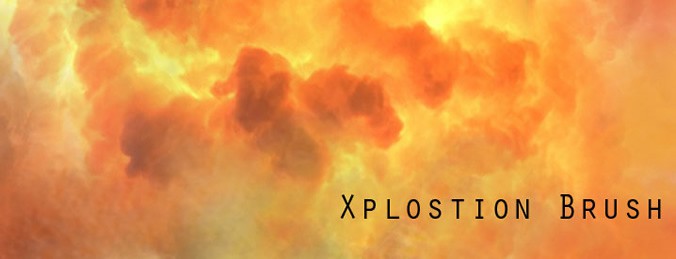
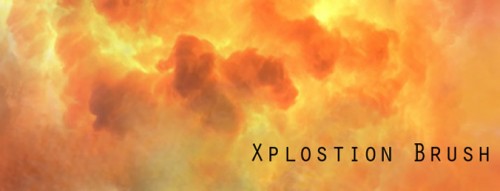
This is a fantastic Photoshop brushset for painting cloud, smoke and render some misty effect for your manipulation. You can also use it for produce explosion effect as well.
7 WaterColor Brushes

If you need some watercolor effect in your manipulation, this is the brushset you need. The resolution of this brushset is very high, which is good for a bigger canvas size. You can also reduce the brush size down if you some detailed work done.

Watercolor Brushes

Another great set of watercolor Photoshop brushes – the different part from the previous brushset is that this set focuses on splatters, rather than stripes paint.

Cracks Brushes

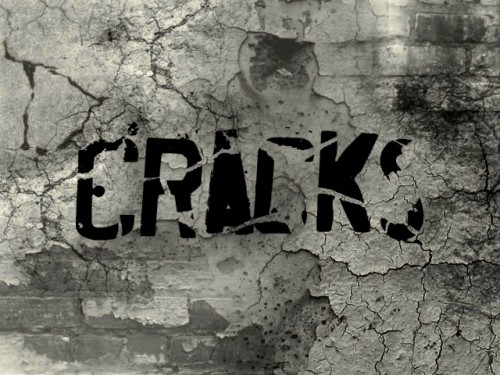
A very nice set of cracks brushes, great for adding cracks onto different photo objects to produce break-apart effect.
Debris Brush Set

This brushset is great for adding dust and particle effect to your photo manipulation :)

Rain Brushes

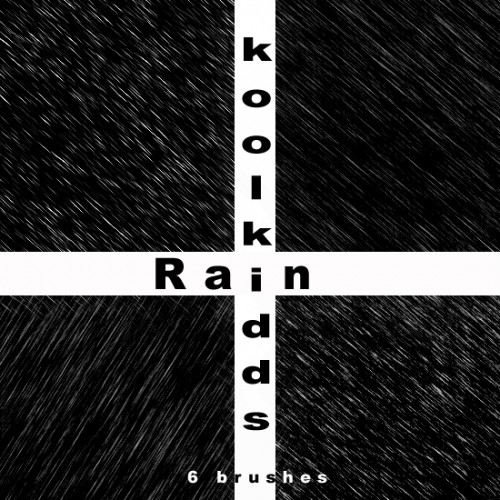
A great brushset for adding some rainy effect into your photo effect, containing 6 brushes with different types of rain.
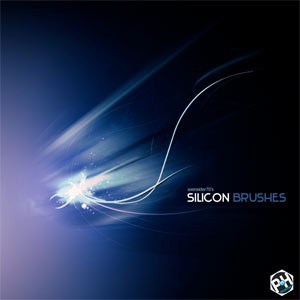
Silicon Brushes

Fantastic set of abstract lines/light effect Photoshop brushes, great for adding some finishing touches to your design.
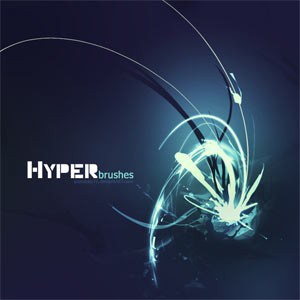
Hyper Brushes

Another set of abstract brushes that you can use for adding some nice curvy lines and circles to your image :)
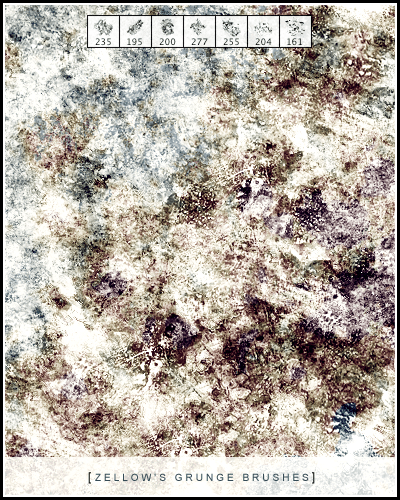
Grunge Brushes

Awesome set of grunge Photoshop brushes, great for digital painting, or use as background texture. You can use them as eraser as well to add grungy effect to different objects.
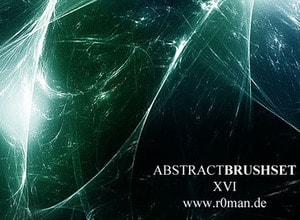
Abstract Fractal Brushset 16

A lovely set of Fractal brushset, wonderful for adding some nice fractal effect to any photo manipulation work.
That’s it for this post! Hope you enjoy those Photoshop brushsets and find them useful for your project! Till next time, have a great day!

artwork brushset fantastic free manipulation photo photoshop works
Share. Facebook Twitter Pinterest LinkedIn Tumblr Email
James Qu
  • Website

James is a seasoned Photoshop expert with over 25 years of experience based in Australia. As the driving force behind PSD Vault, he authors the majority of its in-depth tutorials and insightful articles.

Related Posts

Create a Dissolved Ancient Ink Text Effect in Photoshop

February 5, 2026

How to Pixelate an Image in Photoshop

January 21, 2026

Neural Filters in Photoshop – A Beginner’s Guide (Updated Jan 2026)

January 7, 2026

1 Comment

  1. ArmelD on February 19, 2014 5:13 AM

    Superb! Specially liked the ‘debris’ brush …….. thanks a lot.

Don't Miss

How to Stay Ahead of Every Photoshop Update & Unlock Their Full Power

February 8, 2026

VIP Exclusive Photoshop Tutorial – “The Real Her”

February 7, 2026

How to Create a Fairytale Composition in Photoshop

February 6, 2026

For Beginners

Basics

How to Stay Ahead of Every Photoshop Update & Unlock Their Full Power

By Valentin PetroffFebruary 8, 20265 Mins Read

Dodge & Burn Tool in Photoshop – The Beginner’s Guide

January 24, 2026

How to Pixelate an Image in Photoshop

January 21, 2026

How to Resize Images Without Losing Quality in Photoshop

January 8, 2026

You May Also Like

Text Effect

Create a Dissolved Ancient Ink Text Effect in Photoshop

By James QuFebruary 5, 20263 Mins Read
Basics

How to Pixelate an Image in Photoshop

By Lana WilsonJanuary 21, 20264 Mins Read
Basics

Neural Filters in Photoshop – A Beginner’s Guide (Updated Jan 2026)

By James QuJanuary 7, 20266 Mins Read
Facebook X (Twitter) Instagram Pinterest
  • About Us
  • Get in Touch
  • Advertise
  • VIP Area
  • Privacy Policy
  • Terms & Conditions
© 2026 PSD Vault. All Right Reserved.

Type above and press Enter to search. Press Esc to cancel.

Manage Consent
To provide the best experiences, we use technologies like cookies to store and/or access device information. Consenting to these technologies will allow us to process data such as browsing behavior or unique IDs on this site. Not consenting or withdrawing consent, may adversely affect certain features and functions.
Functional Always active
The technical storage or access is strictly necessary for the legitimate purpose of enabling the use of a specific service explicitly requested by the subscriber or user, or for the sole purpose of carrying out the transmission of a communication over an electronic communications network.
Preferences
The technical storage or access is necessary for the legitimate purpose of storing preferences that are not requested by the subscriber or user.
Statistics
The technical storage or access that is used exclusively for statistical purposes. The technical storage or access that is used exclusively for anonymous statistical purposes. Without a subpoena, voluntary compliance on the part of your Internet Service Provider, or additional records from a third party, information stored or retrieved for this purpose alone cannot usually be used to identify you.
Marketing
The technical storage or access is required to create user profiles to send advertising, or to track the user on a website or across several websites for similar marketing purposes.
  • Manage options
  • Manage services
  • Manage {vendor_count} vendors
  • Read more about these purposes
View preferences
  • {title}
  • {title}
  • {title}