Close Menu
PSD VaultPSD Vault
  • VIP Area
  • Photoshop Basics
  • Photo Effect
  • Text Effect
  • Premium Tuts
  • Resources
  • Drawing
  • Inspiration
  • Web Graphics
  • Abstract
  • Freebies
  • Advertise
  • Get in Touch
  • About PSD Vault
Facebook Instagram Pinterest YouTube TikTok
Facebook Instagram Pinterest YouTube TikTok RSS
PSD VaultPSD Vault
  • VIP Area
    • Sign Up
    • Log In
  • Free Image Tools
  • Photoshop Basics
  • AI
  • Photoshop Error Fixes
  • Video Tutorial
  • Photo Effect
  • Text Effect
  • Premium Tuts
  • Drawing
PSD VaultPSD Vault
Home»Inspiration»20 Absolutely Epic Sci-Fi Photo Manipulation Artworks to Ignite Your Imagination
Inspiration

20 Absolutely Epic Sci-Fi Photo Manipulation Artworks to Ignite Your Imagination

By James QuMay 31, 20111 Min Read
Share
Facebook Twitter LinkedIn Pinterest Email

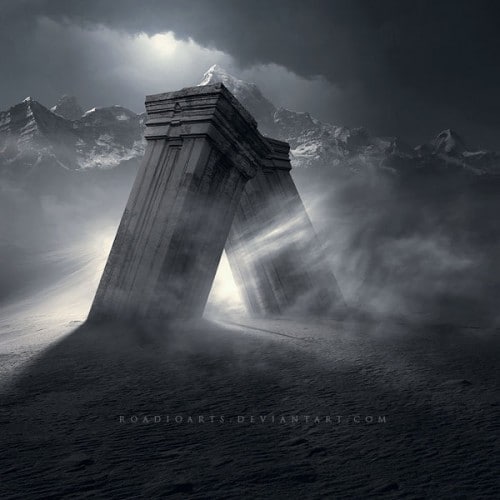
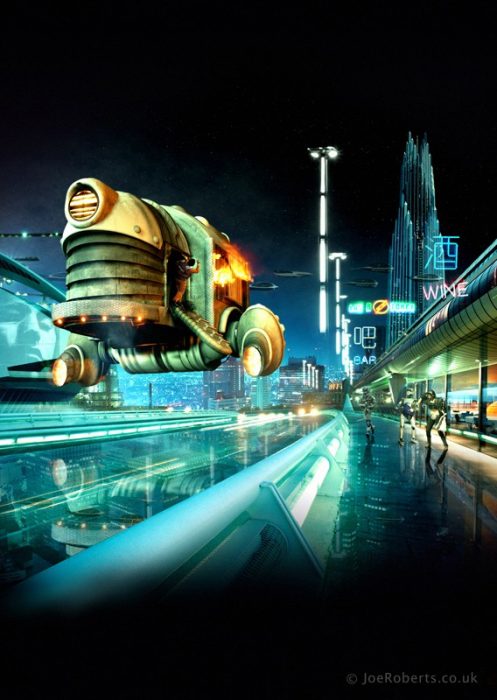
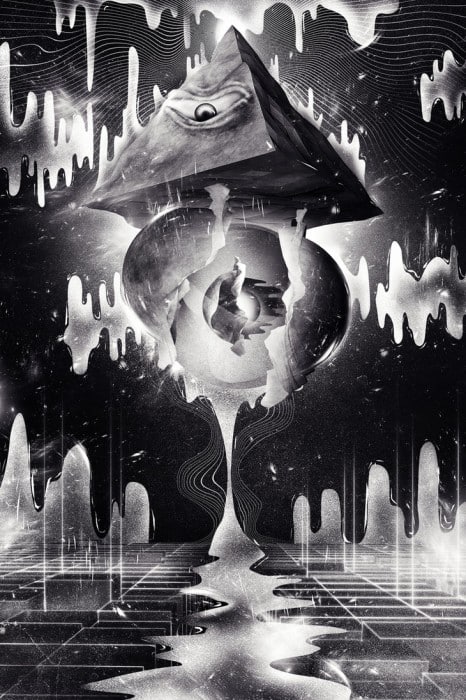
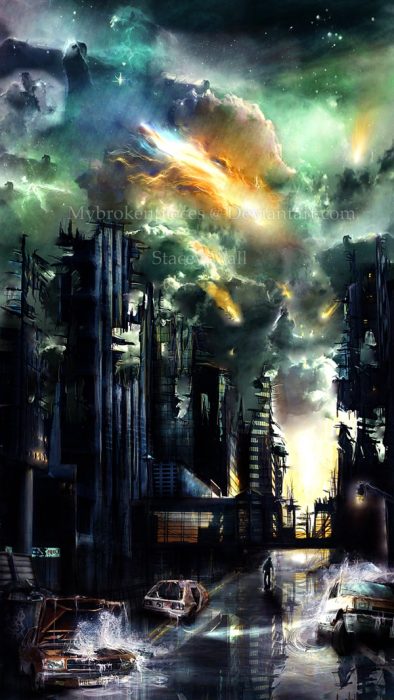
In this post, I will showcase 20 Absolutely Epic Sci-Fi Photo Manipulation Artworks to Spark Your Imagination. I personally love sci-fi works and I think the surreal styles that those works presented are simply stunning – not to mention the techniques that those artists used in simply top-notch.

The majority of these artworks utilise Photoshop, with additional 3D rendering tools (such as blender and cinema 4D). I hope that by observing those works, you can find inspiration and learn how artists mix elements and manipulate various images to form surreal effect.

Here goes the list, enjoy!

That’s it for this post! Hope you enjoy those works and find them inspirational. Till next time, have a nice day!

epic photo manipulation imagination photo sci-fi photo manipulation
Share. Facebook Twitter Pinterest LinkedIn Tumblr Email
James Qu
  • Website

James is a seasoned Photoshop expert with over 25 years of experience based in Australia. As the driving force behind PSD Vault, he authors the majority of its in-depth tutorials and insightful articles.

Related Posts

PSD Vault DeviantART Community Digital Art Showcase – Vol. 168

November 30, 2024

PSD Vault DeviantART Community Digital Art Showcase – Vol. 167

November 26, 2024

PSD Vault DeviantART Community Digital Art Showcase – Vol. 166

October 4, 2024

3 Comments

  1. ninjacontent on June 2, 2011 7:10 PM

    I am not sure why, but my browser crashed a couple of times while loading this website. Could it be due to the reason that it contains so many images? I managed to load it successfully on the fourth attempt.

  2. James Qu on June 3, 2011 6:09 PM

    @ninjacontent: do apologise for this – I was working on a few scripts on the site this two days and that might be the reason. Everything should be fine now.

  3. Rosli Nasir on June 15, 2011 10:49 PM

    Very gooD..no…excellent!…I will visit often this site….Im a fotographer..but..I realy love painting…digital…only thing is..Im lack of knowledge how to be good in it..:-)…hope You can guide me..Sifu.

Don't Miss

How to Sharpen Images in Photoshop: 4 Methods for Every Situation

April 12, 2026

How to Remove Body Hair in Photoshop: 3 Methods Ranked by Speed

April 5, 2026

How to Enlarge Images Without Losing Quality in Photoshop (using Super Resolution)

March 29, 2026

For Beginners

Basics

How to Sharpen Images in Photoshop: 4 Methods for Every Situation

By James QuApril 12, 202618 Mins Read

Curves or Levels: Choosing the Right Tool for Stunning Edits

March 26, 2026

10 Proven Ways to Improve Photoshop Performance in 2026

March 22, 2026

How to Use Photoshop’s Remove Tool with AI Precision

March 4, 2026

You May Also Like

Inspiration

PSD Vault DeviantART Community Digital Art Showcase – Vol. 168

By James QuNovember 30, 20241 Min Read
Inspiration

PSD Vault DeviantART Community Digital Art Showcase – Vol. 167

By James QuNovember 26, 20241 Min Read
Inspiration

PSD Vault DeviantART Community Digital Art Showcase – Vol. 166

By James QuOctober 4, 20241 Min Read
Facebook X (Twitter) Instagram Pinterest
  • About Us
  • Get in Touch
  • Advertise
  • VIP Area
  • Free Image Tools
  • Privacy Policy
  • Terms & Conditions
© 2026 PSD Vault. All Right Reserved.

Type above and press Enter to search. Press Esc to cancel.

Manage Consent
To provide the best experiences, we use technologies like cookies to store and/or access device information. Consenting to these technologies will allow us to process data such as browsing behavior or unique IDs on this site. Not consenting or withdrawing consent, may adversely affect certain features and functions.
Functional Always active
The technical storage or access is strictly necessary for the legitimate purpose of enabling the use of a specific service explicitly requested by the subscriber or user, or for the sole purpose of carrying out the transmission of a communication over an electronic communications network.
Preferences
The technical storage or access is necessary for the legitimate purpose of storing preferences that are not requested by the subscriber or user.
Statistics
The technical storage or access that is used exclusively for statistical purposes. The technical storage or access that is used exclusively for anonymous statistical purposes. Without a subpoena, voluntary compliance on the part of your Internet Service Provider, or additional records from a third party, information stored or retrieved for this purpose alone cannot usually be used to identify you.
Marketing
The technical storage or access is required to create user profiles to send advertising, or to track the user on a website or across several websites for similar marketing purposes.
  • Manage options
  • Manage services
  • Manage {vendor_count} vendors
  • Read more about these purposes
View preferences
  • {title}
  • {title}
  • {title}